Skip to content

Changelog

What's new in Spyingbee

New features, improvements, and fixes. Follow along as we build.

New

Landscape view

Landscape view: Finally see what your competitors are actually up to, all in one page. AI analysis, trend clusters, activity heatmap. No assembly required.
Landscape view

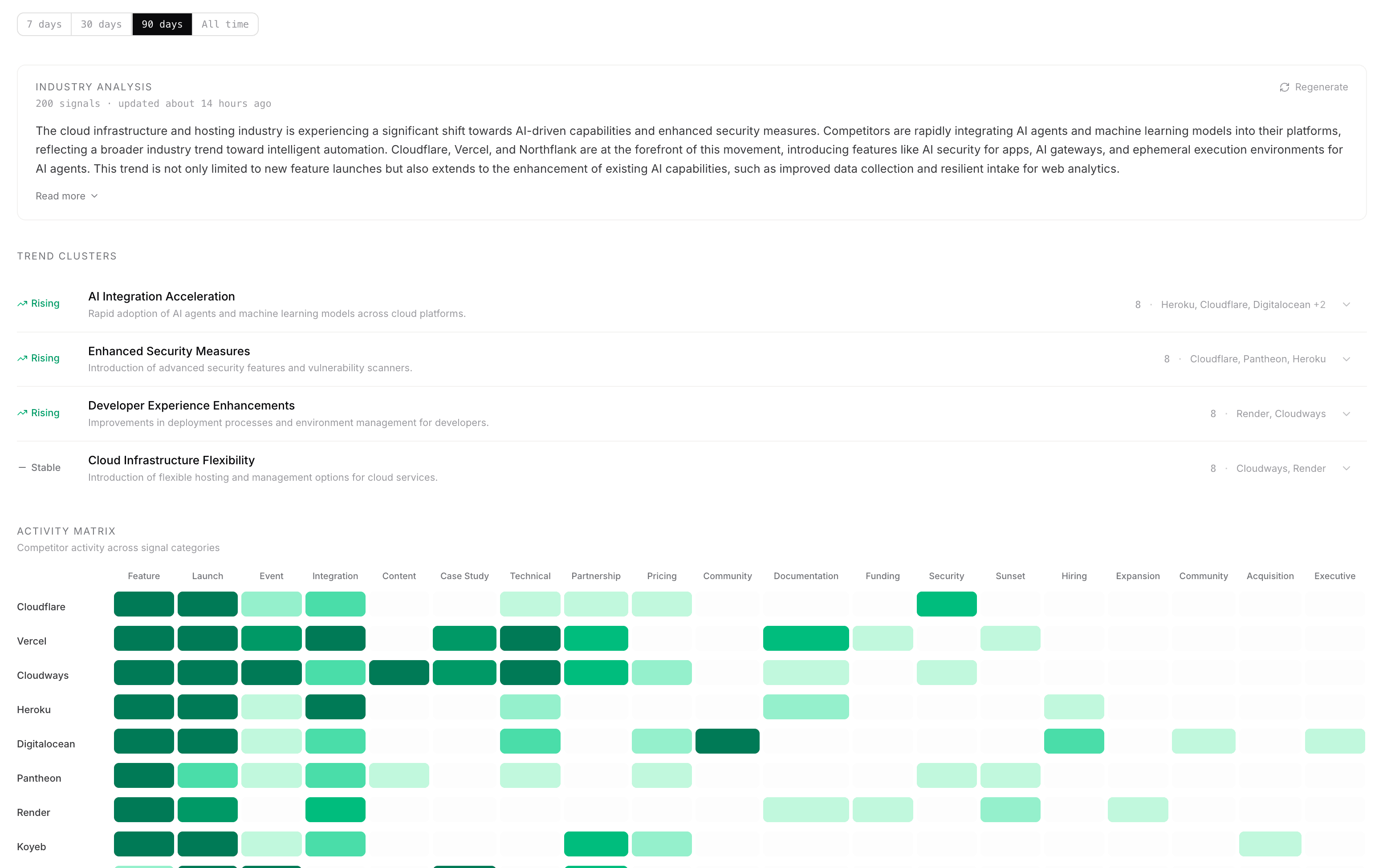
See what's happening across your competitive landscape in one place.

  • Industry analysis. An AI-generated summary of what your competitors have been up to. Shows the key takeaway up front, with the full analysis behind "Read more." You can regenerate it anytime from the card header.
  • Trend clusters. Signals grouped into patterns. Click any row to see the actual signals behind it, which companies are involved, and whether the trend is rising, declining, or flat. Each trend links out to the filtered signals page if you want the full list.
  • Activity matrix. A heatmap of who's doing what. Competitors on one axis, signal types on the other. Click any cell to jump straight to those signals. Zero-activity rows and columns are hidden so it stays compact.

The whole page runs off your existing signal data. Pick a time range at the top - 7 days, 30 days, 90 days, or everything.
Improved

Slack AI Agent - @Spyingbee

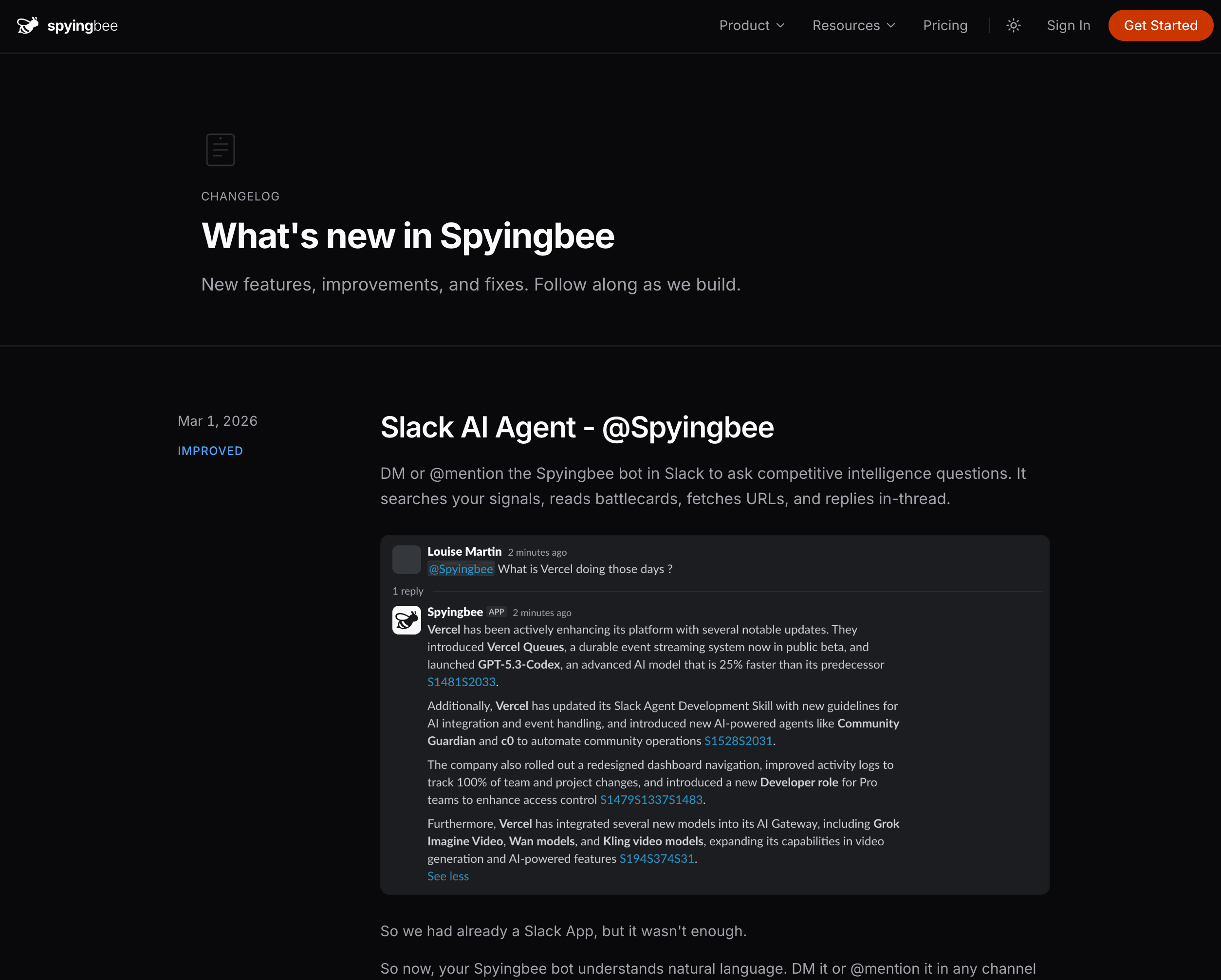
DM or @mention the Spyingbee bot in Slack to ask competitive intelligence questions. It searches your signals, reads battlecards, fetches URLs, and replies in-thread.

Slack AI Agent - @Spyingbee

So we had already a Slack App, but it wasn't enough.

So now, your Spyingbee bot understands natural language. DM it or @mention it in any channel — it runs the same AI agent that powers the dashboard, with full access to your signals, competitors, battlecards, and briefs.

What it can do

  • Answer questions — "What did Stripe ship last week?" or "How does Linear compare to Jira?"
  • Read URLs — Share a link and the bot fetches the content, cross-references with your signals, and gives competitive context
  • Thread context — Reply in a thread and the bot reads the full conversation before answering
  • Conversation memory — It remembers previous messages in DMs for follow-up questions

Interactive signal cards

  • Rate — Thumbs up/down to train signal quality
  • Share — Push a signal to your team channel with one click
  • Mute — Stop getting DM alerts for a specific competitor

Battlecard regeneration

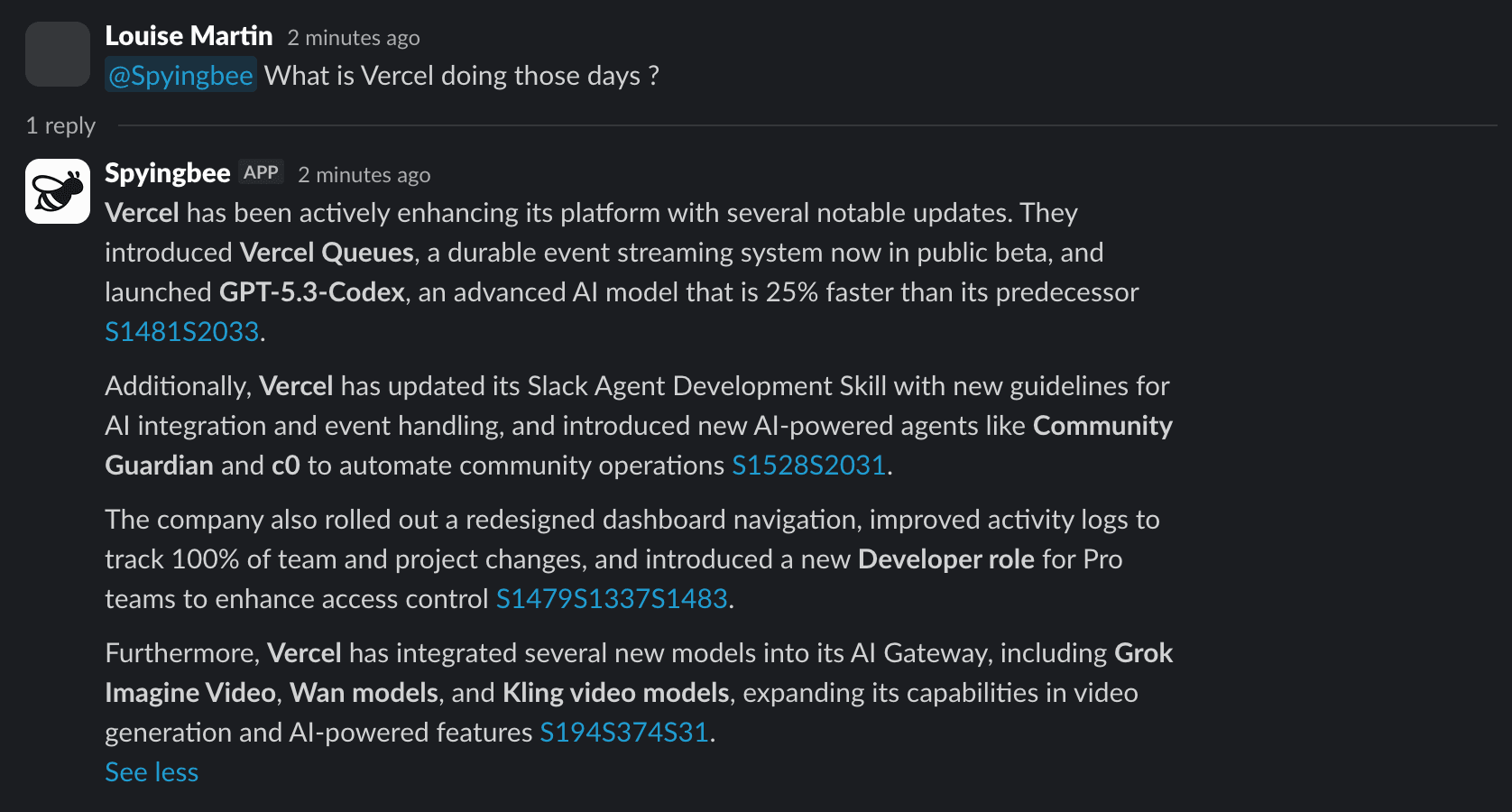
Stale battlecards? Hit the "Regenerate" button directly from the Slack notification — no need to open the dashboard.

Plan limits enforced

All Slack AI interactions respect your plan's monthly limits. Free plans see clear upgrade prompts when they hit the cap.

New

What's New

A changelog page so you can see what we shipped and when.

What's New

You're looking at it. We added a changelog so you can keep up with what's changing in Spyingbee.

The megaphone icon in the header lights up when there's something new. Click it for a quick preview, or come here for the full list.

Improved

Redesigned Settings

Settings got a new sidebar layout. Everything is one click away now.

Settings used to be a mess of tabs. Now there's a sidebar on the left with every section listed out: General, Members, Billing, Security, Slack, Webhooks.

No more hunting around. Click what you need, you're there.

New

Shareable Battlecards

One-click battlecards for any competitor. Share them with your team via a public link.

Shareable Battlecards

Every competitor page now has a Generate Battlecard button. It pulls from your signals to build a competitive breakdown:

  • What they've been up to lately
  • Where they're strong and where they're not
  • How they stack up against you

Want to pass it along to sales or your exec team? Hit Share to grab a public link. You can turn it off anytime.